
Level Up Casino Registration & Account Verification Process in Australia
Every new player from Australia who is at least 18 years old must create an account before they can start playing at Level Up Casino. Registration gives you access to your personal profile, where you can claim bonuses, make deposits, place bets, and withdraw winnings. The process takes just a few minutes and is available both on the website and in the app.
Join Level Up Casino and receive a welcome package worth up to A$ 5,500 + 250 free spins on your first five deposits.
How to Register on Level Up Casino in Australia
The Level Up Casino registration form is short and requires only basic information. To create an account, follow the step-by-step instructions below:
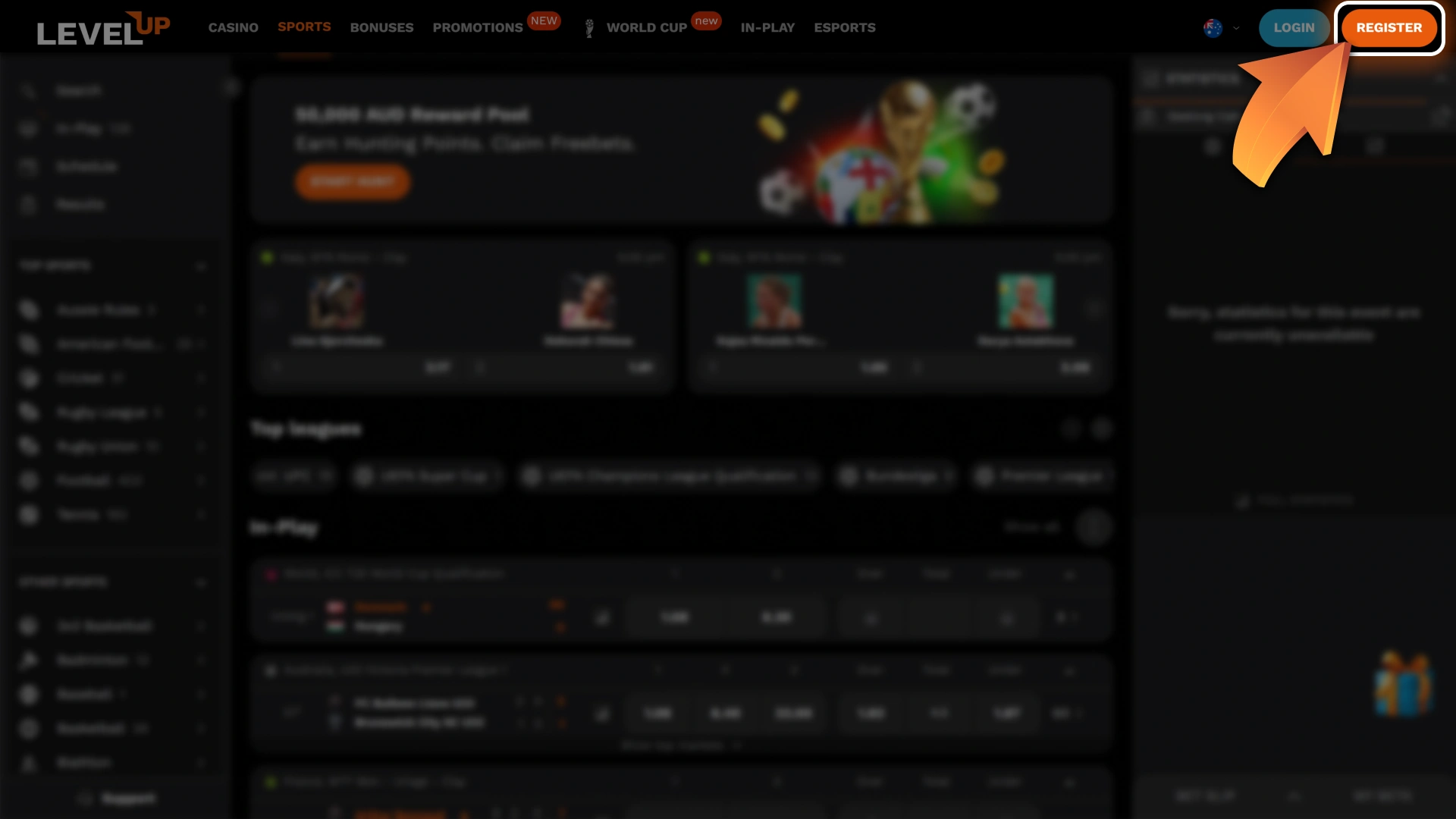
Click “Register”
Сlick the “Register” button to open the sign up form.
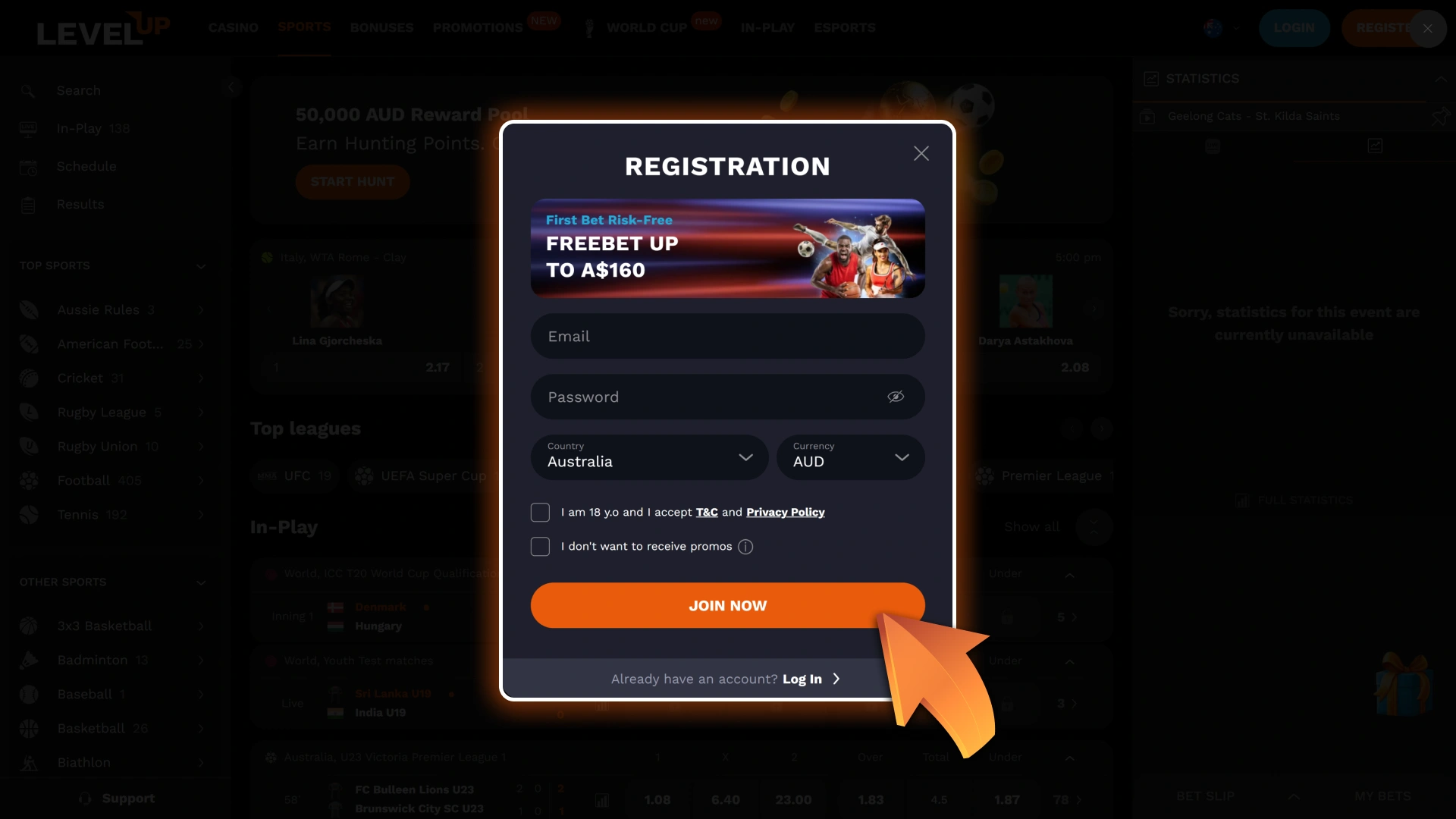
Enter Your Email and Password
Provide your email address and create a password. Select AUD as your account currency.
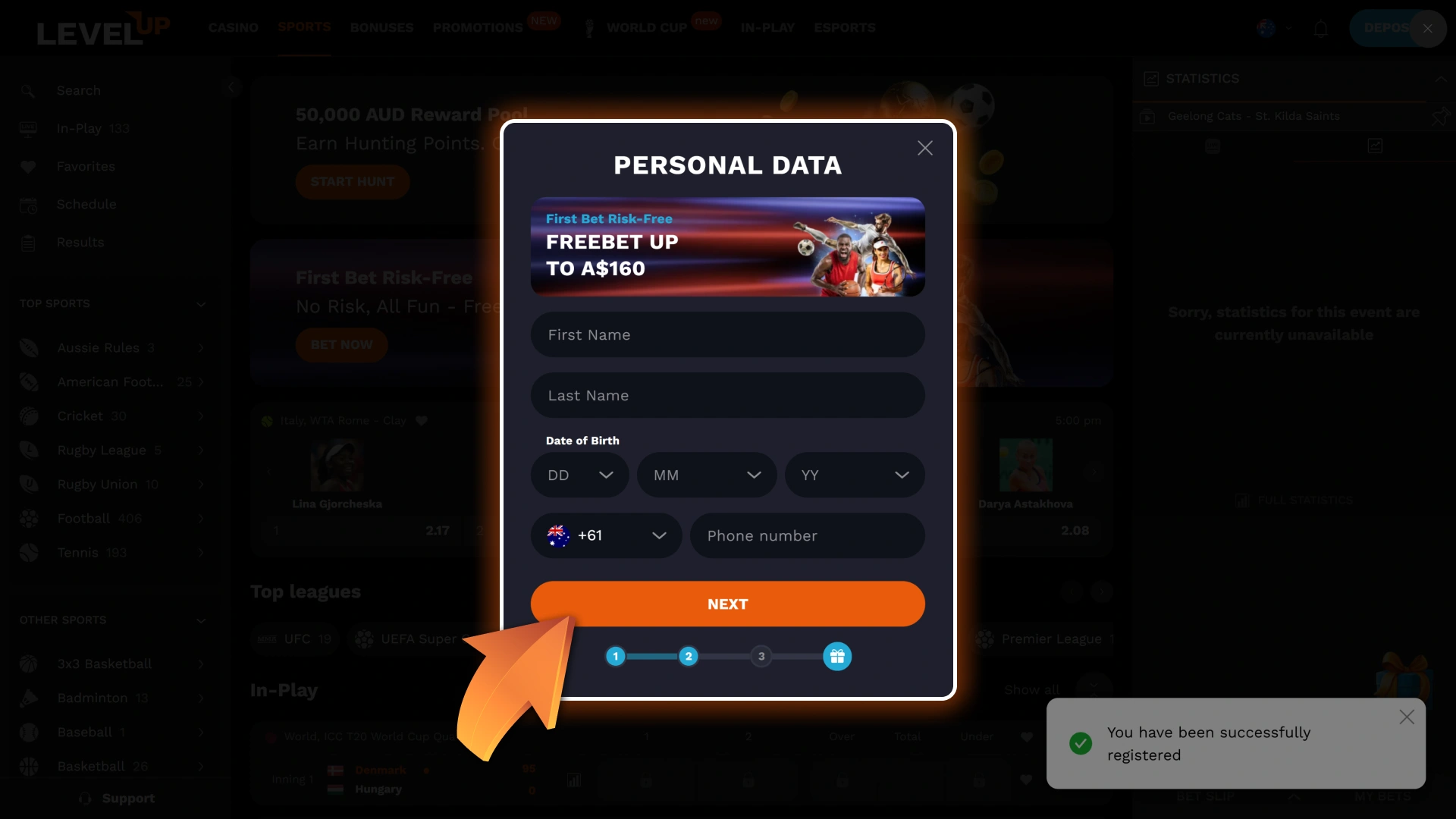
Fill In Your Personal Details
On the next page, enter your full name, date of birth, and phone number.
Add Your Address and Finish
Provide your residential address, enter a promo code if you have one, then click “Finish” to complete the registration.
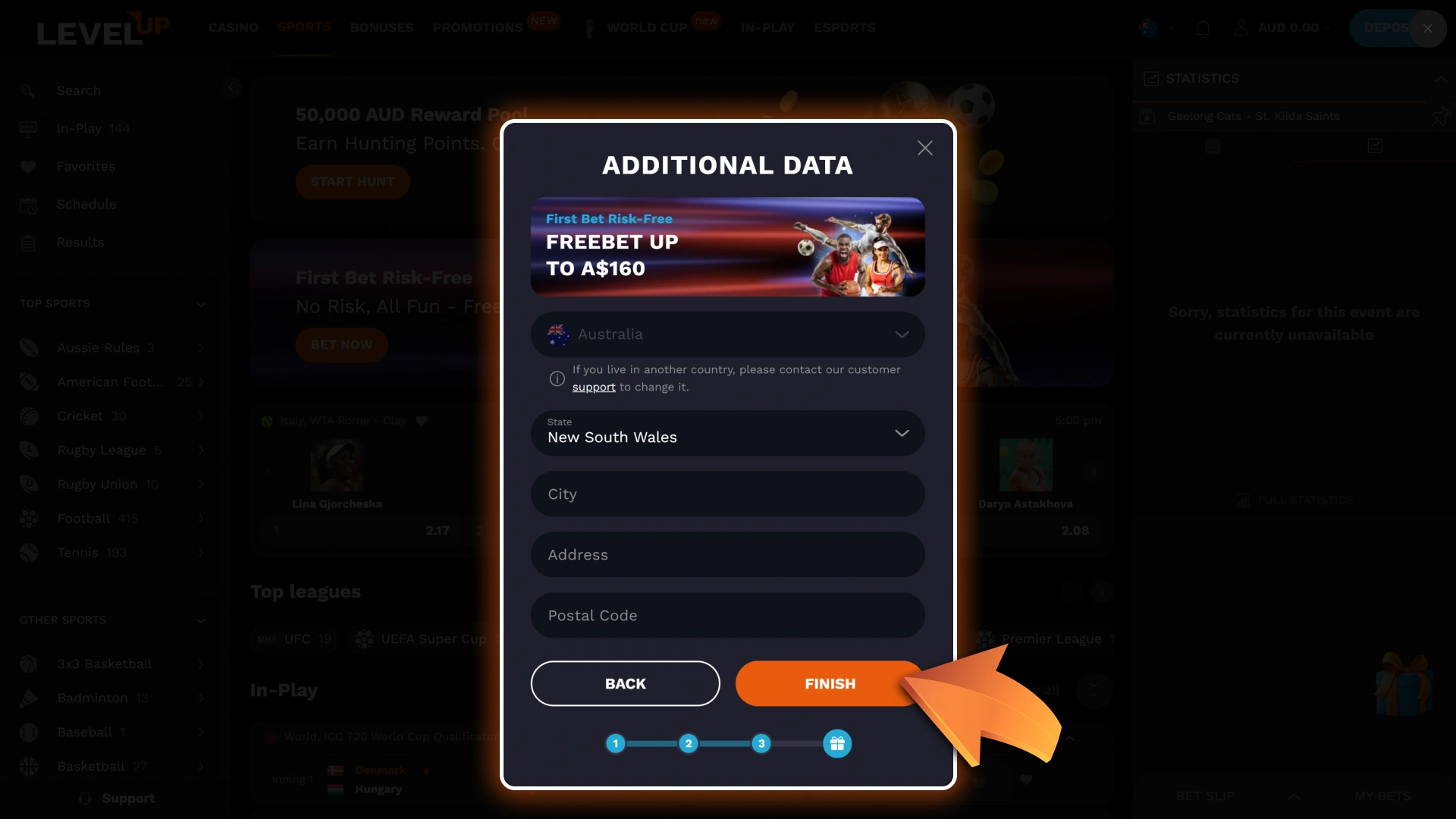
After creating your account, you will be logged in automatically and taken to the main page. Now, you can make your first deposit and start playing.
Level Up Casino Registration Bonus for Players from Australia
All new players from Australia are eligible for a welcome package from Level Up Casino. In total, you can receive up to A$ 5,500 in bonus funds, as well as 250 free spins on your first five deposits. See the table below for full details on each deposit:
| Deposit | Bonus Amount | Minimum Deposit | Wagering |
|---|---|---|---|
| 1st | 150% up to A$1,000 + 50 FS | A$20 | 35x |
| 2nd | 50% up to A$1,500 + 50 FS | A$25 | 35x |
| 3rd | 50% up to A$1,500 + 50 FS | A$30 | 35x |
| 4th | 100% up to A$800 + 50 FS | A$35 | 35x |
| 5th | 125% up to A$700 + 50 FS | A$40 | 35x |
Account Registration Requirements
Level Up Casino operates under a license from the Tobico Gaming Commission and adheres to strict rules regarding the creation and use of accounts. Please ensure that you meet the following requirements:
- Only players aged 18 or older may register and play for real money;
- Each user is allowed only one account. Duplicate accounts will be blocked;
- All personal information provided during registration must be accurate and match your identification documents;
- You must complete the KYC verification process before withdrawing funds;
- Using your account for fraud, money laundering, or bonus abuse is strictly prohibited;
- All payment systems must be registered in your name;
- Sharing your account details with others is prohibited.
These rules protect every player and ensure fair play on the website.
How to Log in to Level Up Casino Account
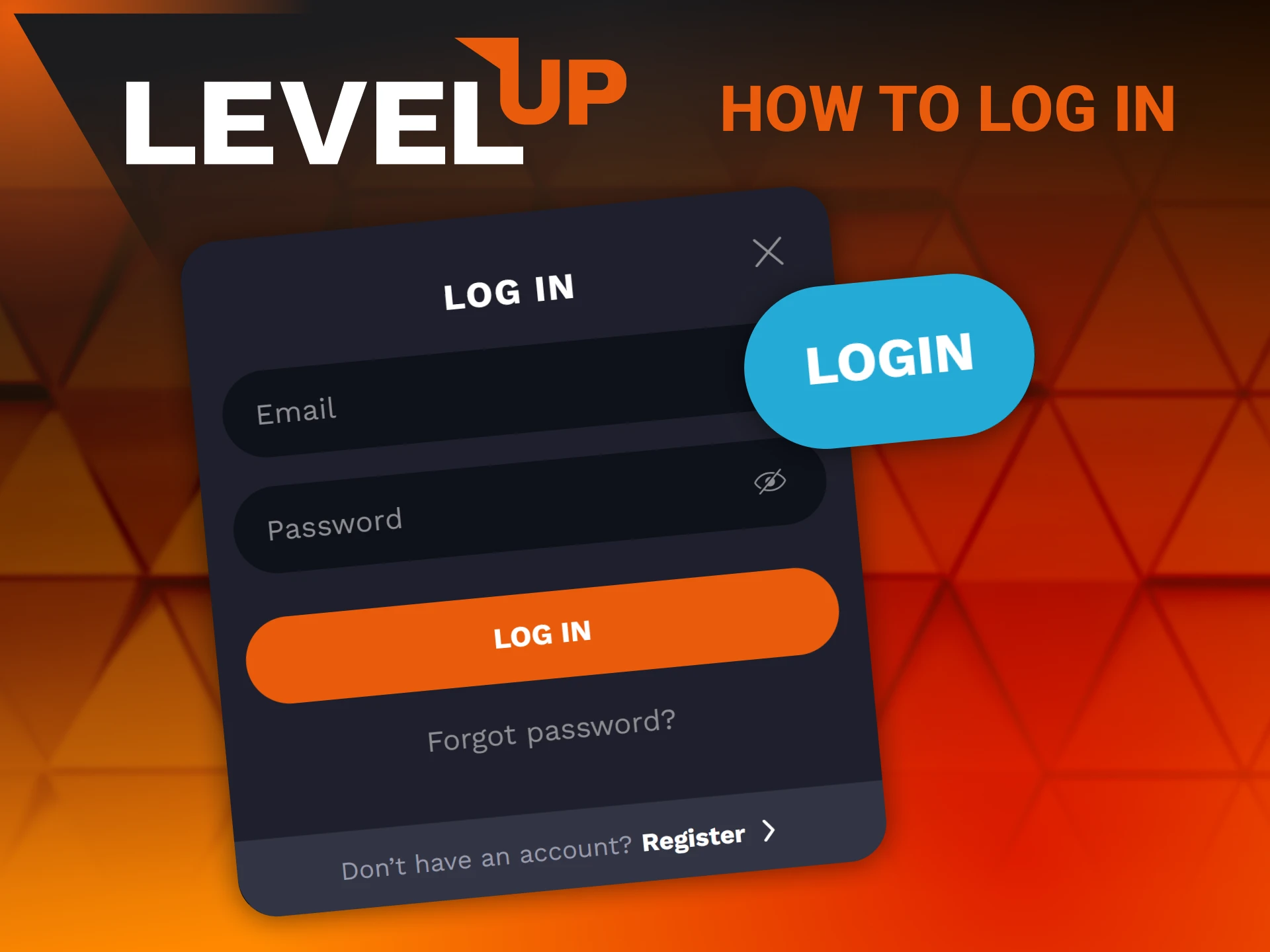
Once you’ve registered an account, logging in takes just a few seconds. To sign in to your Level Up Casino account, follow steps below:
- Click “Log In”. Tap on the “Log In” button in the top-right corner of the homepage.
- Enter your login credentials. Provide your registered email address and password.
- Confirm your login. Click the confirmation button to complete the login.
You will be taken to the homepage, where you can navigate to any section and start playing.
How to Verify Account on Level Up Casino
Verification is mandatory for all Level Up Casino players. It confirms your identity, verifies that you are at least 18 years old, and ensures that you have only one account. Completing verification also removes withdrawal limits. Follow the steps below to complete the process:
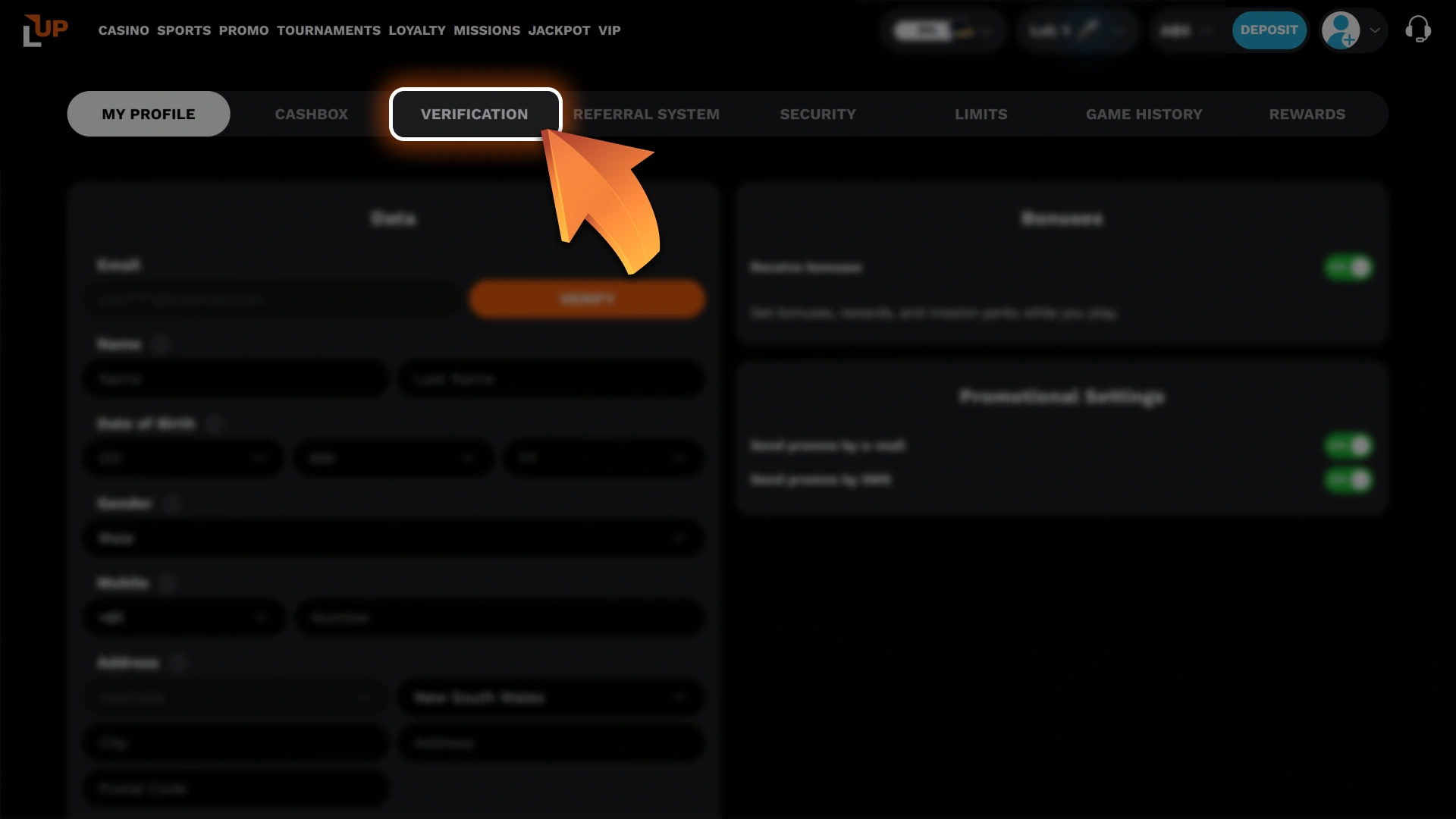
Go to Your Profile Settings
Log in to your account and open the Profile Info section, then navigate to the Verification tab.
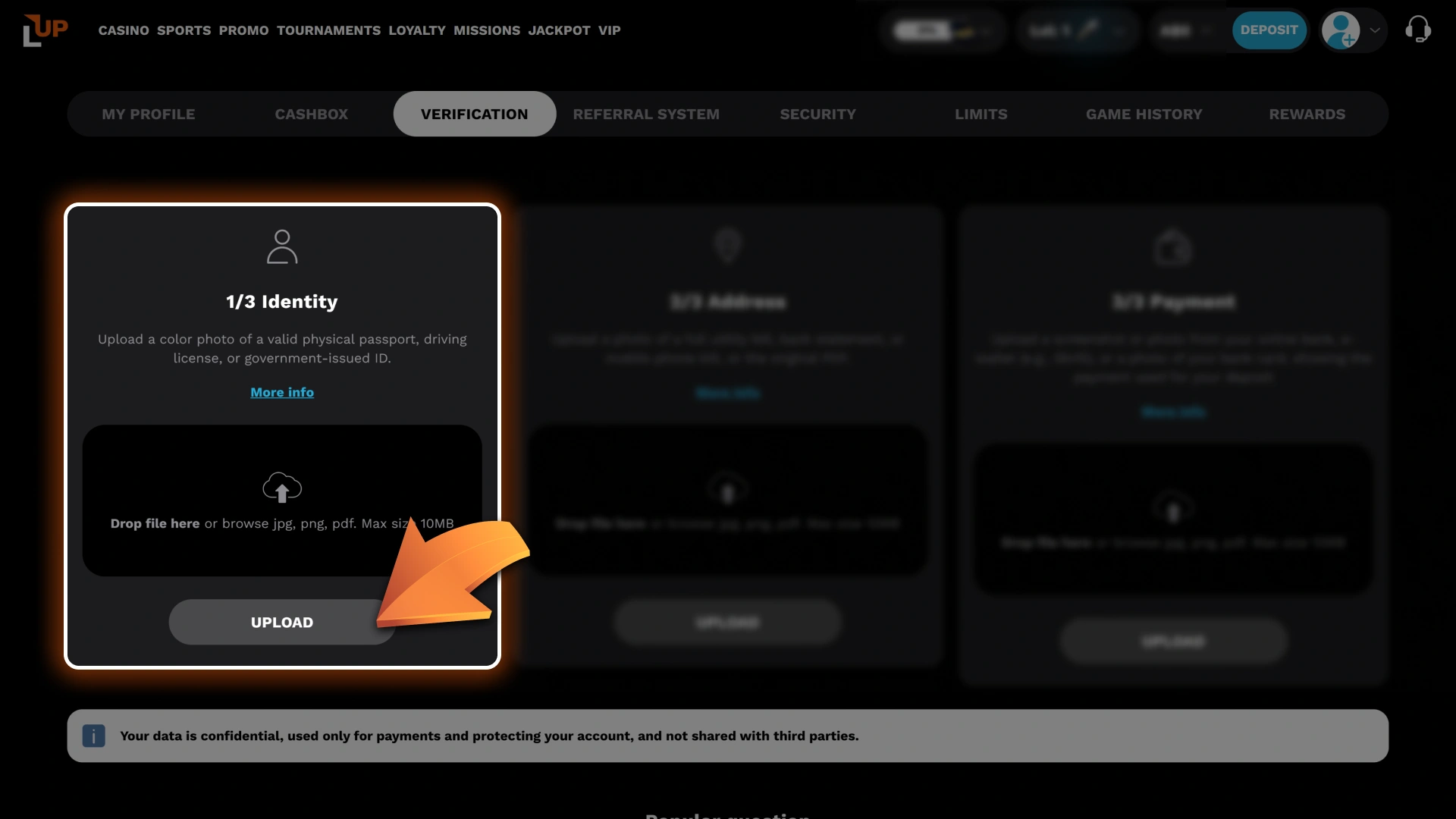
Upload Your Identity Document
Submit a clear colour photo of a valid passport, driving licence, or government-issued ID.
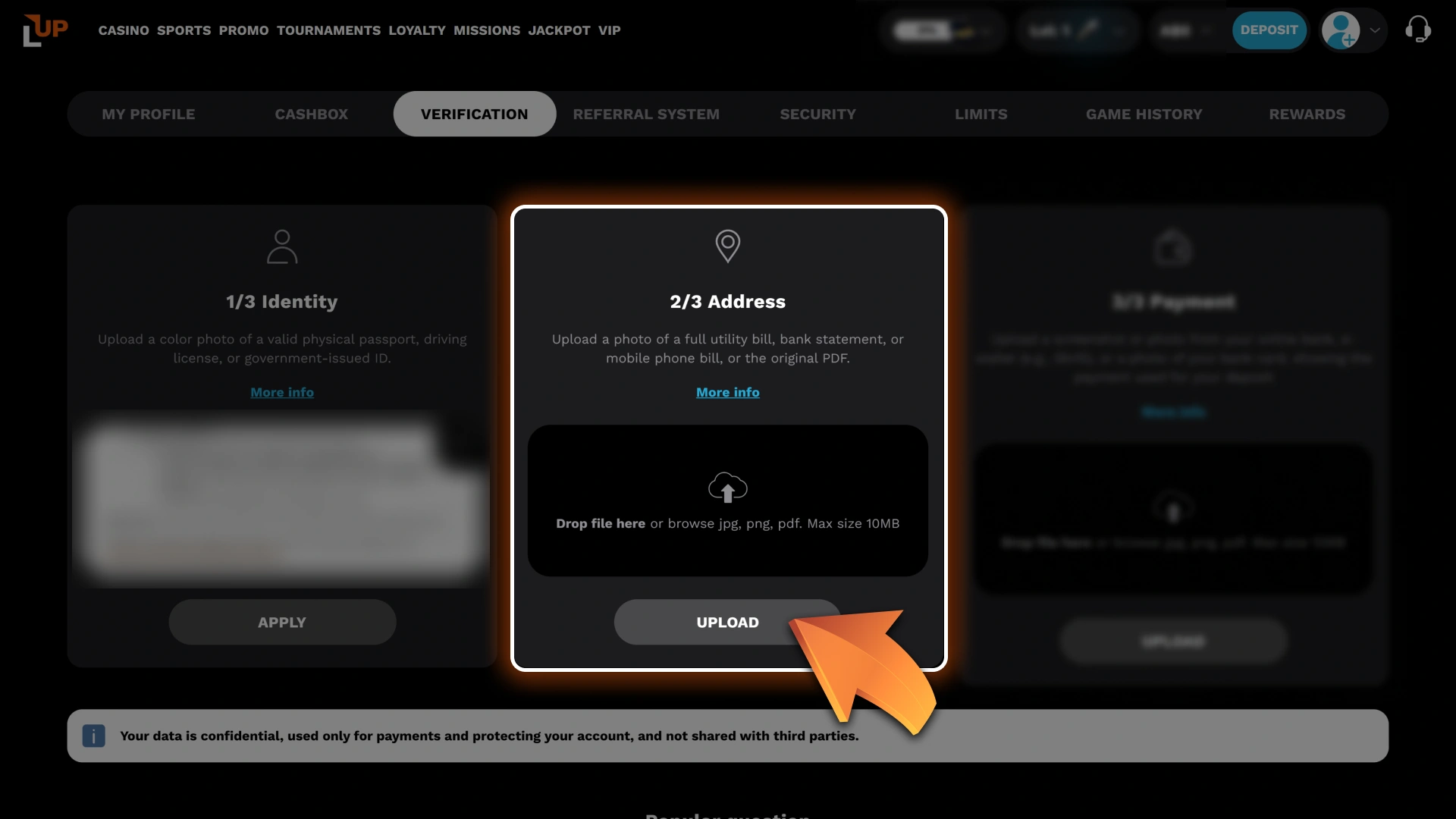
Upload Proof of Address
Provide a full utility bill, bank statement, or mobile phone bill. You can also upload the original PDF.
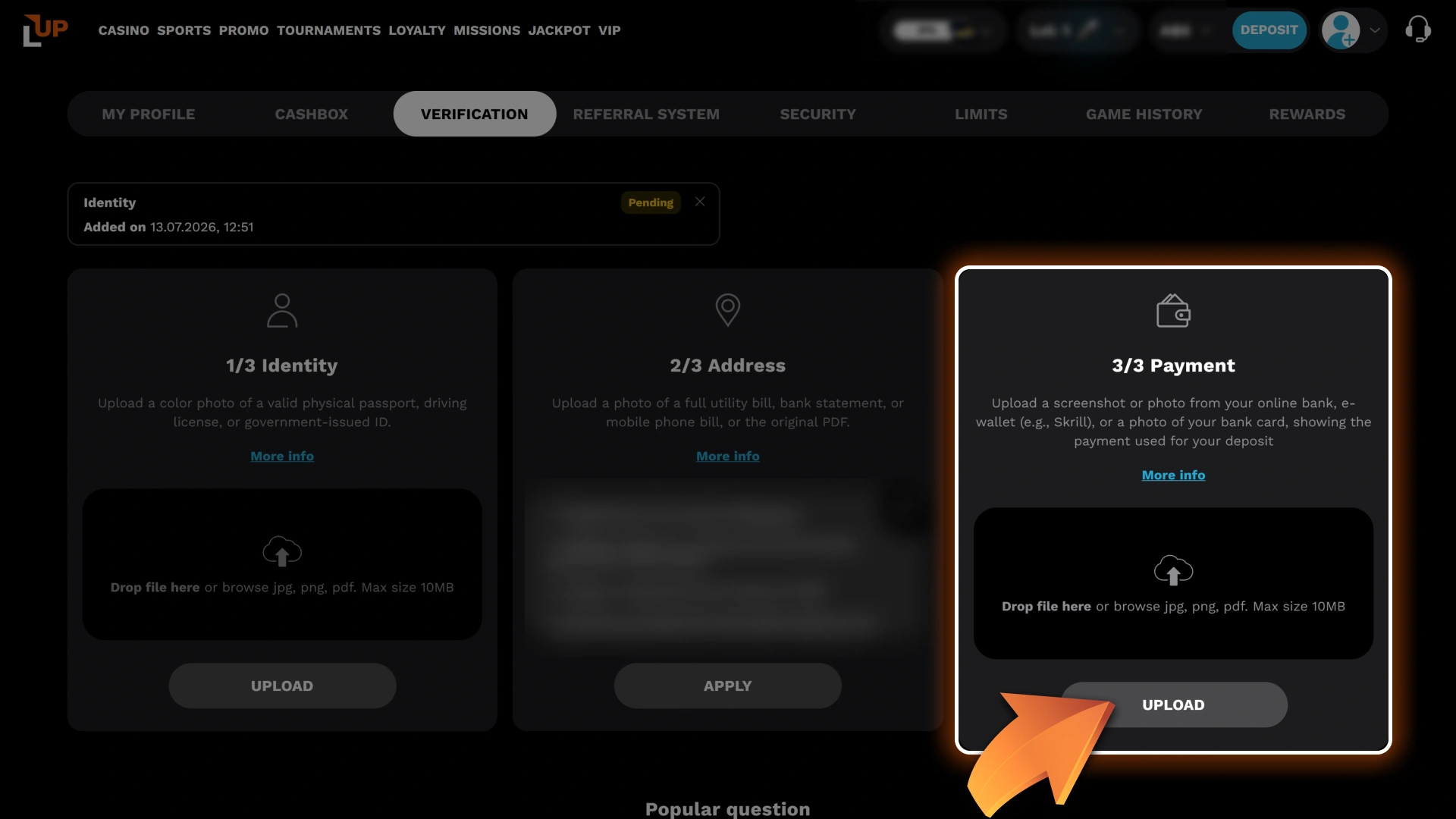
Confirm Your Payment Method
Upload a screenshot or photo from your online bank or e-wallet, or a photo of the bank card you used for your deposit.
If everything is in order, verification is usually completed within an hour. During peak times, it may take a little longer. If any documents are missing or unclear, customer support will contact you to help resolve the issue quickly.
How to Register on Level Up Casino via Mobile App
Most players prefer to play on their phones. Level Up Casino offers a dedicated Android app and a PWA for iOS users. You can create a new account from your device by following the steps below:
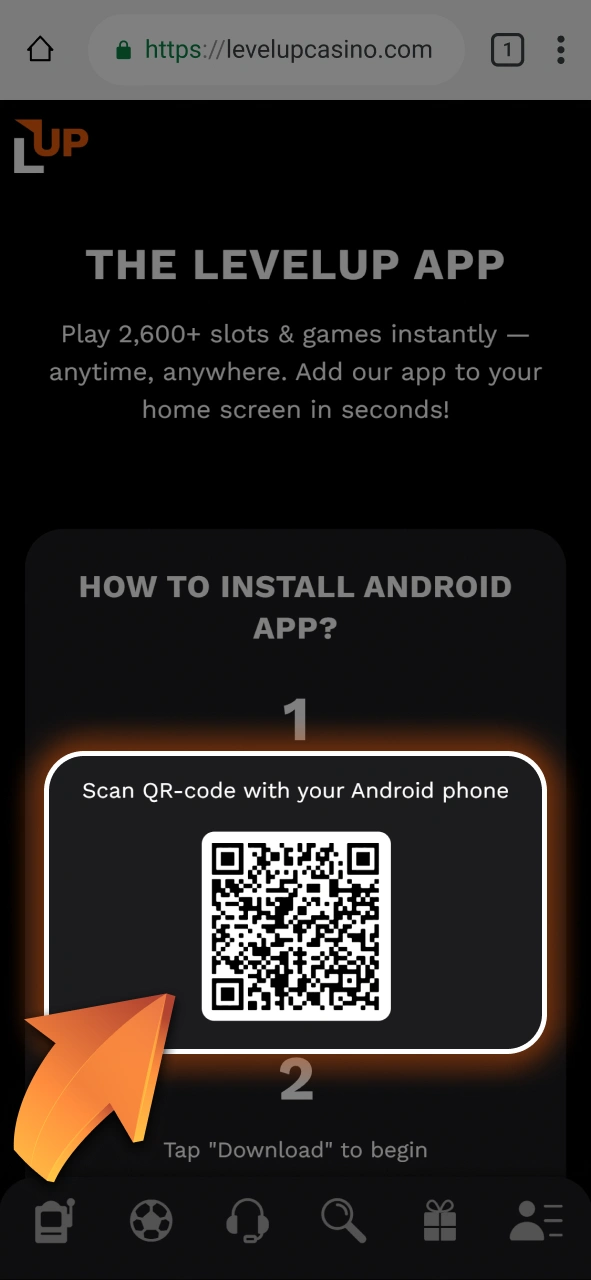
Download the App
Android users can download the Level Up Casino app from the official website. iOS users can install the PWA by opening the site in Safari and selecting “Add to Home Screen.”
Click On the “Register” Button
Launch the app and tap the “Register” button on the main screen.

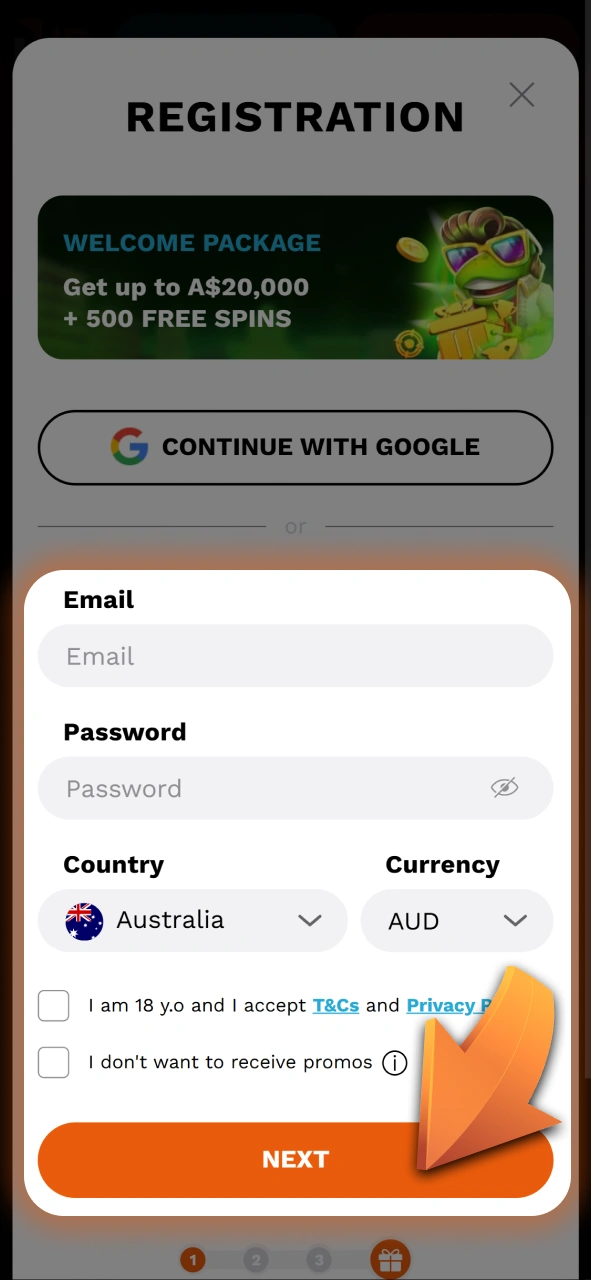
Enter Your Email
Fill in your email address and set a password. Choose AUD as your account currency.
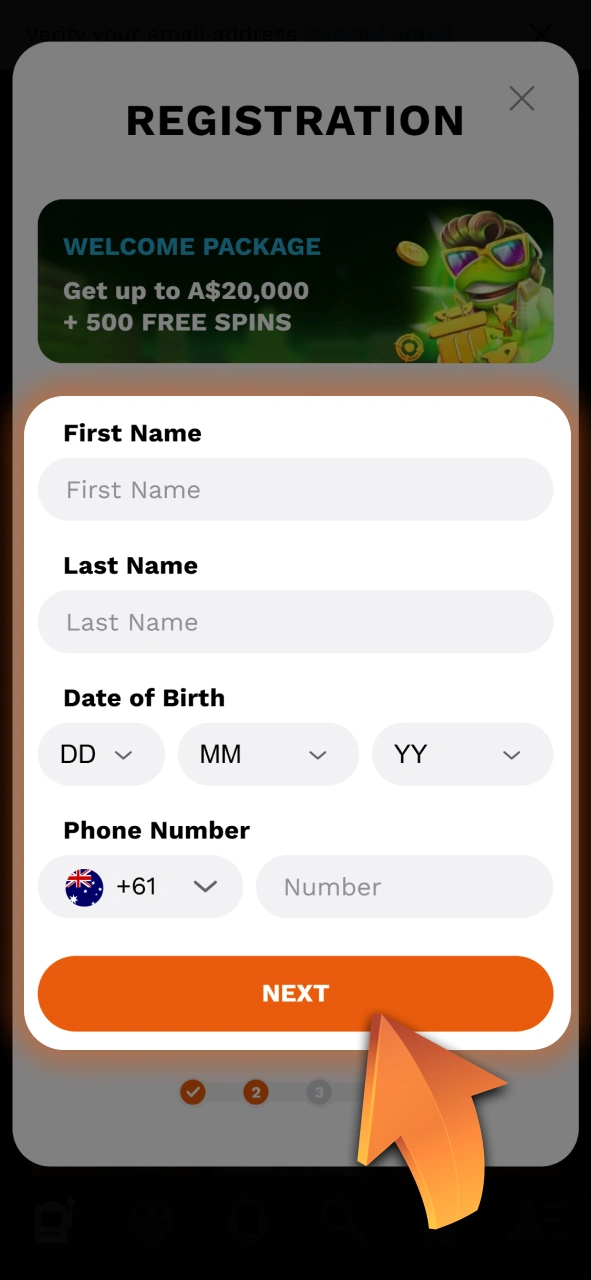
Fill In Your Personal Details
Enter your full name, date of birth, and phone number on the next page.
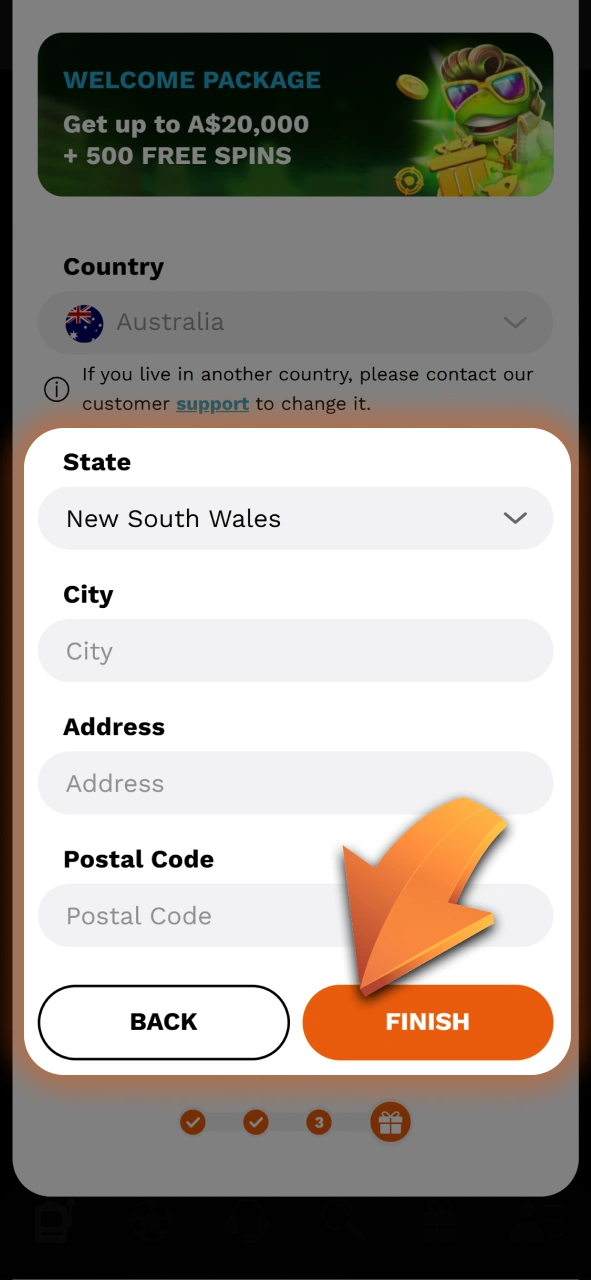
Complete Registration
Provide your residential address, add a promo code if you have one, then tap “Finish.”
Once registered, you will have full access to casino games, sports betting, deposits, and withdrawals from your smartphone.
Possible Problems and Their Solutions When Registering on Level Up Casino
Registration at Level Up Casino is straightforward, but some players encounter minor issues during the process. These are usually easy to resolve without contacting customer support. Please refer to the table below:
| Problem | Solution |
|---|---|
| Email address already in use | This email is linked to an existing account. Use a different email or reset your password |
| Page not loading | Clear your browser cache or try a different browser. Check your internet connection |
| Register button not working | Turn off any VPN or ad blocker. Update your browser to the latest version |
| “Access denied” message | Level Up Casino may be restricted by your internet provider. Try the mobile app instead |
Steps to Delete a Personal Account
If you’ve decided to stop playing or need a break, you can request to close your account at Level Up Casino. Contact customer support and follow the steps below to complete the process:
- Contact customer support via live chat or email and request to close your account.
- Notify customer support whether you want to permanently delete your account, set a self-exclusion period, or temporarily suspend your account.
- Before closing your account, withdraw any remaining funds using any available payment method.
- Provide the information requested by customer support so they can process your closure request and send you a final confirmation.
Contacts and Customer Support in Terms of Registration
If you encounter any issues during registration or verification, the Level Up Casino customer support team is available to assist you 24/7. Specialists are ready to answer questions regarding your account, deposits and withdrawals, bonus terms, and to resolve any technical issues. You can contact them in the following ways:
- Live Chat: available at any time directly on the website and in the app;
- Email: send a detailed inquiry via the contact form on the website.
FAQ
Can I register on Level Up Casino using a VPN?
Using a VPN during registration is generally not permitted. If your account is created or accessed through a VPN, it may be flagged and suspended. Always sign up using your actual Australian location.
How long does the registration process take?
The initial sign-up process takes under five minutes. Full verification, which is required for withdrawals, can take between 24 and 72 hours depending on the documents submitted.
Is there a minimum deposit required to activate the welcome bonus?
Yes. The minimum deposit to activate the first deposit bonus is A$20.
What happens if I forget my password?
You can reset your password by clicking the “Forgot Password” link on the sign-in page. A reset link will be sent to your registered email address or mobile number.
Can I change the personal details I entered during registration?
Some personal details, such as your name and date of birth, cannot be edited independently once submitted, as they are tied to your identity verification. Contact the support team directly if a correction is needed.
Updated: